How short, purposeful stories can make your blog lessons easier to understand, trust, and remember.
A good story can make a lesson stay.
Not because the story is dramatic.
Not because it is long.
Not because it sounds like a movie scene.
But because it helps the reader see the point.
A plain tip may be useful.
But a short story can make the tip feel real.
For example, you can tell someone:
Do not build a huge product before you know what your audience needs.
That is good advice.
But it becomes easier to remember when you show a simple story:
A creator spends three weeks building a large course, then sends one email and discovers most readers only wanted a short checklist to help them choose their first product idea.
Now the lesson has shape.
The reader can picture the mistake.
They understand why smaller can be smarter.
That is what stories do well.
They turn advice into something the reader can feel, remember, and use.
Why Stories Work in Blog Content
Stories help because readers are not only looking for information.
They are looking for meaning.
They want to know:
- Does this apply to me?
- Have other people struggled with this?
- What does this look like in real life?
- What mistake should I avoid?
- What small result is possible?
- How do I use this lesson?
A story can answer those questions faster than a long explanation.
It gives the reader a scene.
A person.
A problem.
A choice.
A result.
Even a very short story can make a lesson clearer.
Think of a story like a small window.
The teaching point is the room.
The story lets the reader see inside.
The Big Mistake Bloggers Make With Stories
The big mistake is adding stories that do not serve the lesson.
Some stories are interesting, but they pull the reader away from the point.
Others are too long.
Some have too many details.
Some begin in the wrong place.
Some feel like personal journaling when the reader needs guidance.
A story should not be there only because “storytelling is powerful.”
It should do a job.
It should help the reader understand, feel, trust, remember, or act.
If the story does not support the lesson, it becomes decoration.
And decoration can slow the post down.
The Purposeful Story Framework
Before adding a story, ask five questions:
- What reader problem am I addressing?
- What lesson should the story support?
- What type of story fits this problem?
- What details are necessary?
- What should the reader understand after the story?
This keeps the story focused.
You are not writing a long memoir.
You are using a short story to teach.
Step 1: Start With the Reader’s Problem
Do not start with the story.
Start with the reader’s problem.
For example, your reader may be struggling with:
- not knowing what to write
- building products that are too large
- feeling nervous about emailing their list
- creating bonuses that feel random
- trying to sound like an expert too early
- losing momentum after a blogging pause
Once you know the problem, you can choose a story that fits.
If the problem is confusion, use a clarity story.
If the problem is fear, use a reassurance story.
If the problem is overbuilding, use a mistake story.
If the problem is lack of belief, use a small-win story.
The story should meet the reader where they are.
Step 2: Choose the Lesson
A story needs a point.
Before writing it, finish this sentence:
This story shows that…
For example:
- This story shows that a small offer can be enough.
- This story shows that readers need clarity before they need more content.
- This story shows that a short email can rebuild connection.
- This story shows that old content can still become useful.
- This story shows that authority can grow through documentation.
If you cannot finish that sentence clearly, the story may not be ready.
Step 3: Choose the Right Story Style
Different reader problems need different story styles.
This is important.
Not every post needs a personal story.
Not every lesson needs a case study.
The right story style depends on what the reader needs to understand.
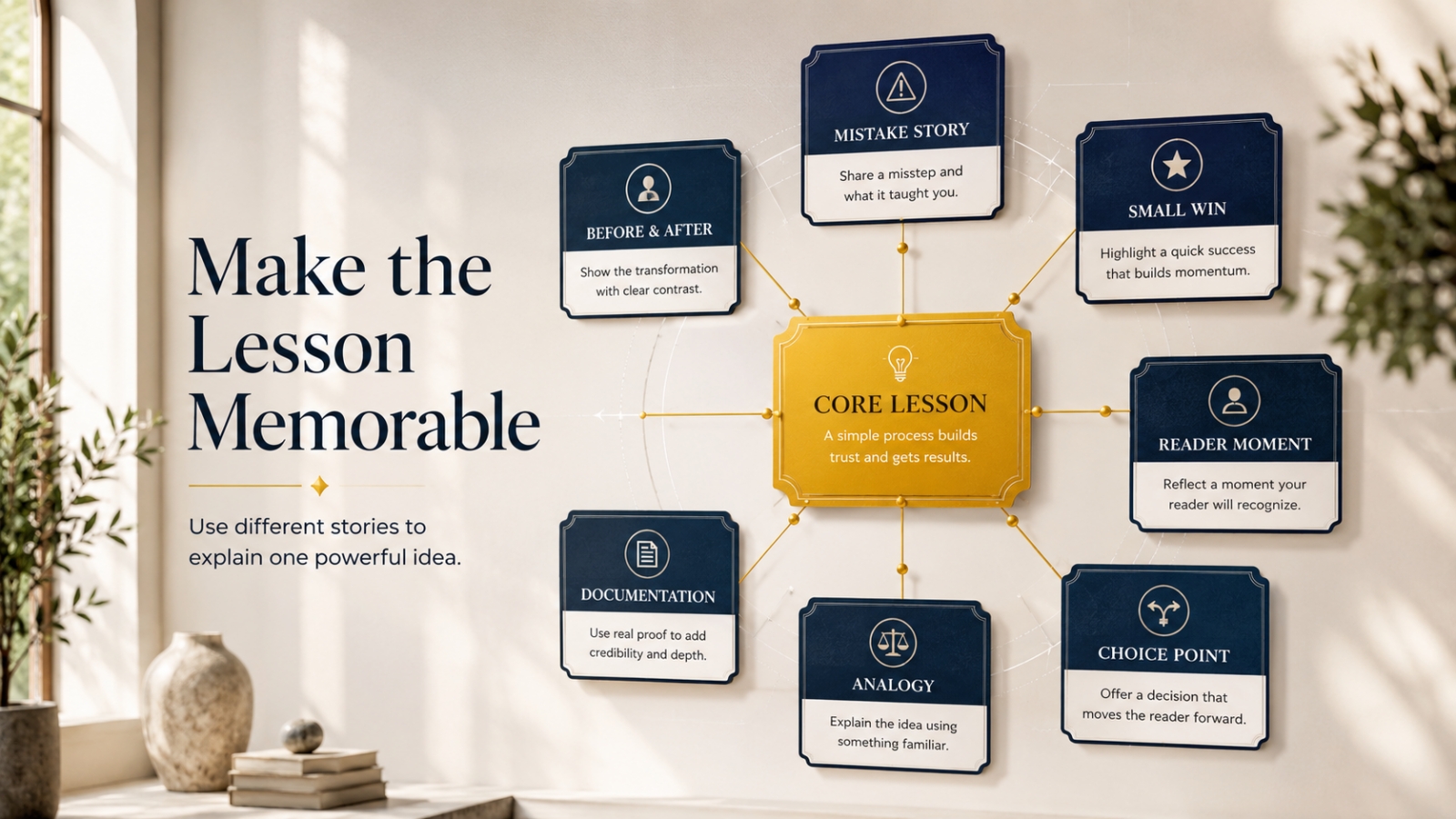
Here are several story styles you can use.
Story Style 1: The Mistake Story
Use this when the reader is doing something understandable but unhelpful.
A mistake story helps readers see what is going wrong without feeling attacked.
Best for Reader Problems Like:
- building products that are too big
- writing vague blog titles
- adding random bonuses
- publishing without sharing
- trying to do too many tasks at once
Example
A creator wants to launch a digital product.
They start with a simple checklist idea.
Then they add a guide, five templates, a video series, a bonus pack, a launch calendar, and a full course outline.
Three weeks later, the product is still unfinished.
The real problem was not lack of effort.
The offer became too heavy.
Lesson
A smaller product that solves one clear problem can be easier to finish, explain, and use.
Story Style 2: The Before-and-After Story
Use this when the reader needs to see transformation.
This story shows what changed.
It does not need to be dramatic.
It only needs to make the improvement clear.
Best for Reader Problems Like:
- weak blog intros
- unclear titles
- hard-to-read posts
- old content that needs refreshing
- messy offer positioning
Example
Before the refresh, the blog post was called:
Home Office Tips
The intro began with a broad sentence about working from home.
After the refresh, the title became:
How to Set Up a Small Home Office Corner That Feels Easier to Work In
The intro opened with a crowded table, an uncomfortable chair, and tired eyes before lunch.
Lesson
A clearer title and more human intro can make an old post feel more useful immediately.
Story Style 3: The Small-Win Story
Use this when the reader feels discouraged or unsure whether small actions matter.
This story shows that progress can begin with one small step.
Best for Reader Problems Like:
- restarting after a pause
- limited blogging time
- rebuilding consistency
- creating a small offer
- reconnecting with an email list
Example
A blogger only has three hours for the week.
Instead of trying to fix everything, they spend 30 minutes planning, 90 minutes writing, 30 minutes emailing, and 30 minutes sharing one useful idea.
By the end of the week, they have one post drafted, one email sent, and one clear next step.
Lesson
Small focused blocks can rebuild momentum when they are used well.
Story Style 4: The Reader-Moment Story
Use this when you want the reader to feel seen quickly.
This story starts inside the reader’s real situation.
It works well in introductions.
Best for Reader Problems Like:
- staring at a blank page
- feeling awkward about emailing again
- not knowing what to measure
- feeling overwhelmed by content tasks
- wondering where to restart
Example
You open your email tool after weeks of silence.
The blank message box feels heavier than expected.
You type “Sorry I have been away…” then delete it.
You type it again.
Then you wonder if anyone even remembers you.
Lesson
Reconnecting with your list feels awkward, but you do not need a long apology. You can return with one helpful note.
Story Style 5: The Documentation Story
Use this when you want to build authority honestly.
This story shows what you tested, changed, noticed, or learned.
Best for Reader Problems Like:
- wanting to build authority
- explaining product decisions
- showing how a process works
- teaching from experience
- helping readers learn from your work
Example
You take one old blog post and refresh only five things: the title, intro, examples, formatting, and next step.
You do not rewrite the whole article.
After the refresh, the post feels easier to read and more connected to your current offer path.
Lesson
Documenting a simple improvement can build trust because readers see the process, not just the final advice.
Story Style 6: The Analogy Story
Use this when the idea feels abstract.
An analogy story compares the lesson to something familiar.
Best for Reader Problems Like:
- understanding systems
- seeing how content connects to email and offers
- understanding authority
- learning analytics
- understanding content reuse
Example
A blog business is like a small shop.
A blog post is the front window.
The email list is the conversation with someone who walks in.
The offer is the shelf that holds the deeper solution.
Follow-up is the helpful reminder that shows them how to use what they found.
Lesson
Content, email, offers, and follow-up work better when they are connected.
Story Style 7: The Choice-Point Story
Use this when the reader needs to make a better decision.
This story shows the moment where a choice matters.
Best for Reader Problems Like:
- choosing between a big product and small offer
- deciding whether to refresh or write new content
- choosing what to focus on with limited time
- deciding whether to build a new system or simplify
Example
A blogger has one free afternoon.
They can either start a brand-new long guide, redesign the homepage, or update the one old post that still gets quiet traffic.
They choose the old post.
By the end of the afternoon, the post has a clearer title, better intro, and stronger next step.
Lesson
The best next task is often the one that strengthens an asset already working.
How to Place Stories Inside a Blog Post
Stories can appear in different parts of a post.
Where you place the story depends on its job.
Use a Story in the Introduction
Best when you want to pull readers in.
Use a reader-moment story.
Example:
Open with the reader staring at a blank email after weeks of silence.
Use a Story Before the Lesson
Best when the reader needs context before advice.
Use a mistake story or choice-point story.
Example:
Show the creator overbuilding a small product before teaching why focused offers work.
Use a Story After the Lesson
Best when the reader needs to see the lesson applied.
Use a before-and-after story or documentation story.
Example:
Teach the refresh framework, then show an old title becoming stronger.
Use a Story Near the End
Best when you want to reinforce the takeaway.
Use a small-win story.
Example:
Show how one blogger used three hours well and rebuilt momentum.
How Long Should a Blog Story Be?
Most blog stories do not need to be long.
A useful story can be:
- 3 sentences
- 1 short paragraph
- a short before-and-after
- a small example
- a mini case study
- a brief scene in the intro
The question is not:
How long should the story be?
The better question is:
How much story does the lesson need?
Some lessons need only a tiny moment.
Others need a short case-style example.
Keep the story as short as it can be while still making the lesson clear.
A Simple Story Structure You Can Use
Use this structure:
- Situation
- Problem
- Choice
- Result
- Lesson
Example
Situation
A creator has a checklist they want to sell.
Problem
They keep adding more pieces until the product becomes too large.
Choice
They decide to return to one clear buyer problem.
Result
The product becomes a small starter kit that is easier to explain.
Lesson
A focused offer is often stronger than a large unfinished product.
This structure keeps the story from wandering.
How to Make Stories Feel Natural
A natural story does not need fancy writing.
It needs a clear point.
Use simple details.
One scene.
One problem.
One turning point.
One lesson.
Avoid adding every background detail.
Readers do not need to know the entire history.
They need the part that helps the lesson land.
Strong Story Details
Use details that show the problem.
For example:
- the blank email box
- the old blog title that feels too broad
- the checklist sitting unused in a folder
- the product outline growing too large
- the dashboard with small but useful signals
- the weekly plan with only three hours available
These details help the reader picture the lesson.
What to Avoid When Using Stories
Mistake 1: Adding a Story With No Teaching Point
If the story does not support the lesson, remove it.
A story should make the point clearer.
Mistake 2: Making the Story Too Long
If the reader forgets why the story began, it is too long.
Trim the background.
Keep the lesson close.
Mistake 3: Making Yourself the Hero Too Often
Your story should help the reader feel guided, not impressed.
Sometimes the reader should be the hero.
Sometimes the lesson should be the hero.
Mistake 4: Using Stories That Do Not Match the Reader’s Problem
A story about advanced business growth may not help a beginner who only needs one simple restart step.
Match the story to the reader’s stage.
Mistake 5: Ending the Story Without Explaining the Lesson
Do not assume the reader will connect the dots.
After the story, add a simple line:
The lesson is…
That makes the teaching clear.
Quick Exercise: Add One Story to Your Next Blog Post
Use this worksheet.
My Reader’s Problem Is:
[Write the problem.]
The Lesson I Want to Teach Is:
[Write the lesson.]
The Best Story Style Is:
[Mistake / Before-and-after / Small-win / Reader-moment / Documentation / Analogy / Choice-point.]
My Short Story Will Show:
[Write the situation.]
The Turning Point Is:
[Write the choice or change.]
The Lesson Is:
[Write the takeaway.]
Start with one short story.
Not a long personal essay.
Just one useful moment that helps the reader understand the lesson.
Final Thought: Stories Help Lessons Stick
A story does not need to be dramatic to work.
It needs to be useful.
It should make the lesson easier to understand, easier to trust, and easier to remember.
Use a mistake story when the reader needs to see what is going wrong.
Use a before-and-after story when they need to see improvement.
Use a small-win story when they need encouragement.
Use a reader-moment story when they need to feel understood.
Use a documentation story when you want to build honest authority.
Use an analogy story when the idea feels abstract.
Use a choice-point story when the reader needs to make a decision.
The right story can turn advice into something the reader can picture.
And what readers can picture, they are more likely to remember.
That is why stories belong in strong blog content.
Not as decoration.
As teaching.
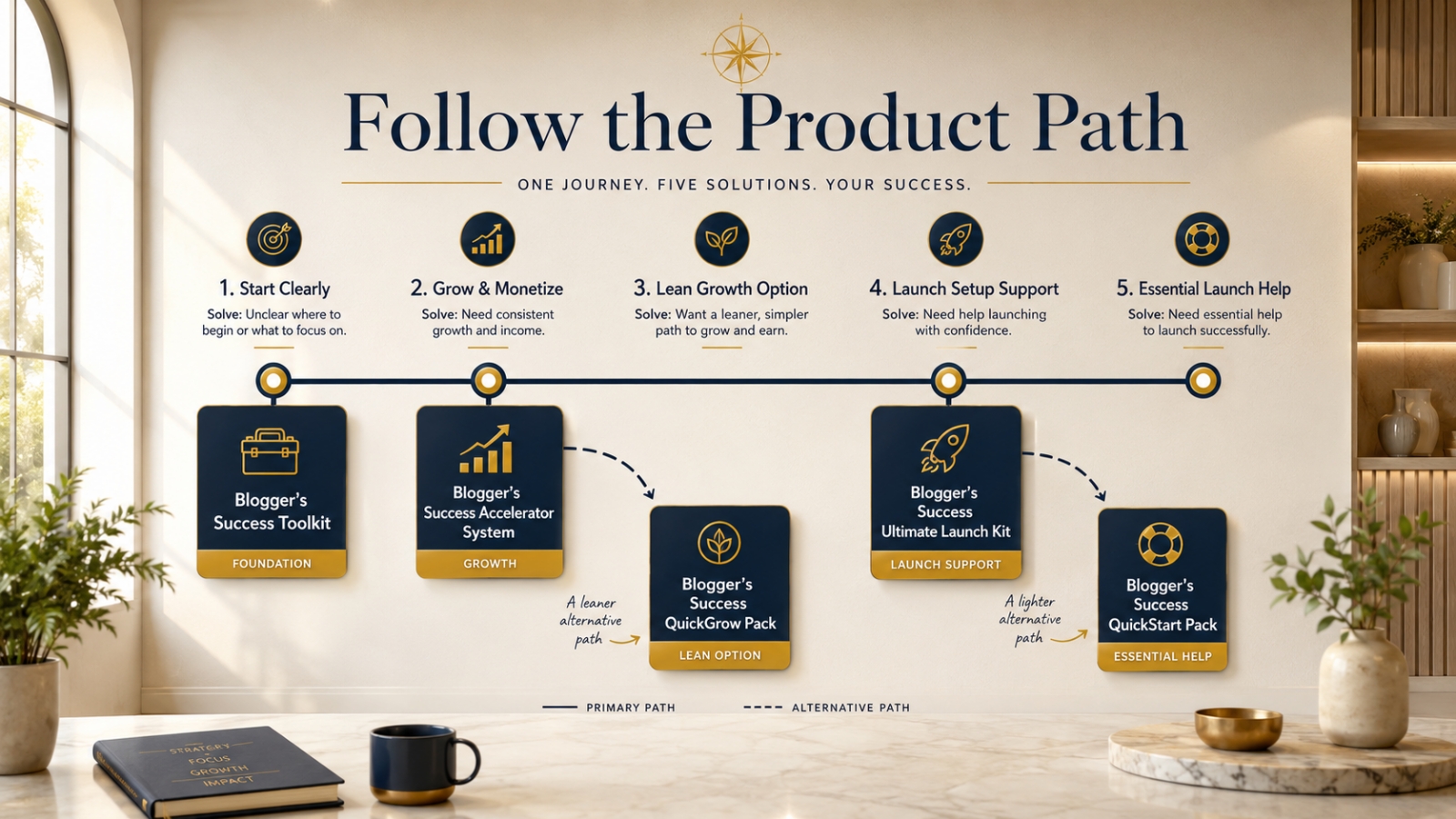
Use This With Blogger’s Success Toolkit
If you already own Blogger’s Success Toolkit, log in to the Blogger Success Blueprint members area and choose one blog post that could become stronger with a short story.
Match the story style to the reader’s problem, then use it to make the lesson clearer and easier to remember.
Members Login:
https://bloggersuccessblueprint.com/members/
New to Blogger’s Success Toolkit?
Blogger’s Success Toolkit gives you a beginner-friendly path to choose your direction, plan useful content, write stronger titles, and begin building your blog or product path with more structure.