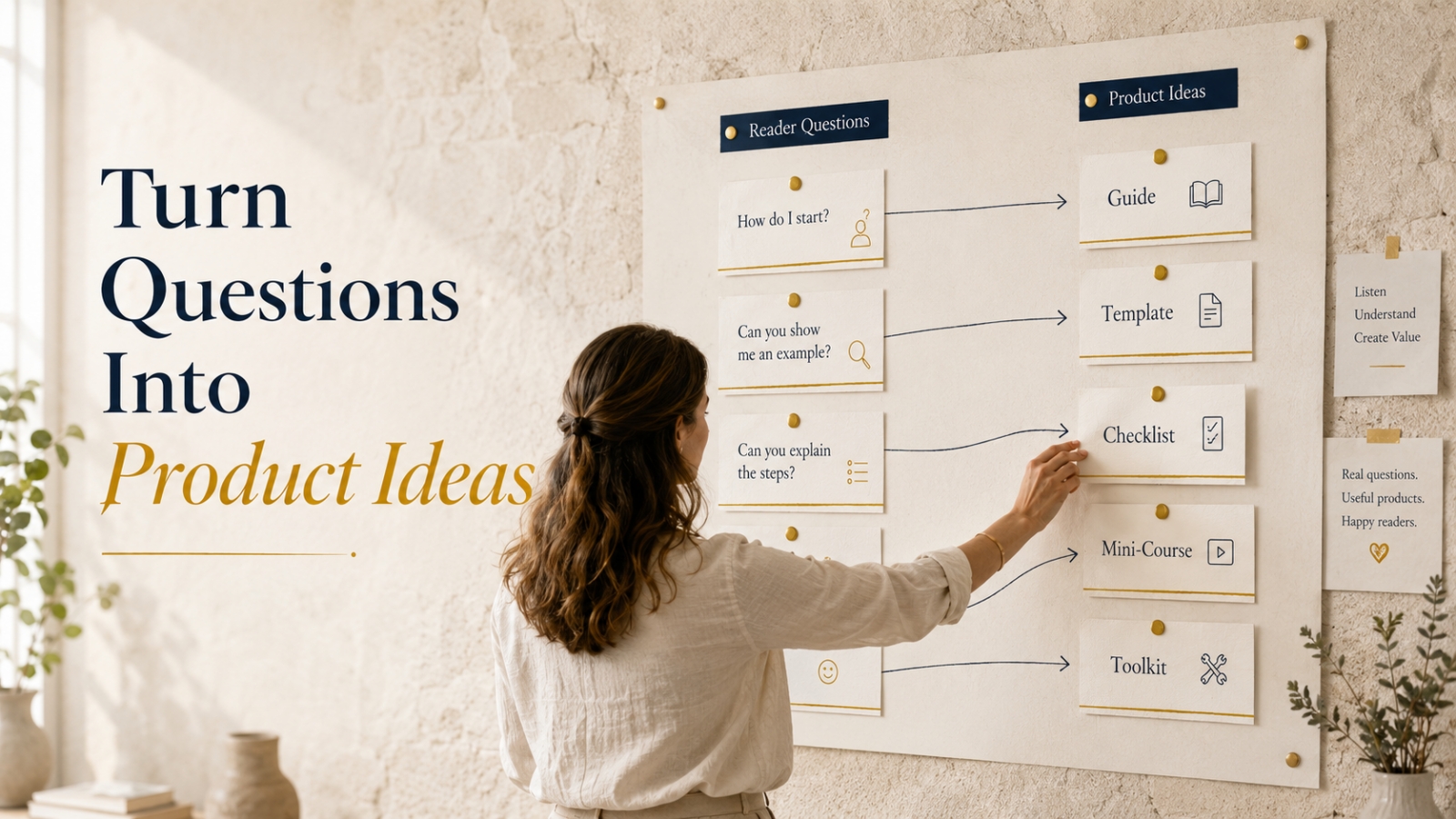
Reader questions can become guides, templates, checklists, mini-courses, and toolkits when you learn how to spot the real need behind the question.
A reader sends you a simple message.
“How do I know what to do first?”
Another person asks something similar a few days later.
“Is there a checklist for this?”
Then someone else says, “I wish there was a simple example I could follow.”
At first, those questions may look like ordinary comments.
Just quick replies.
Just little requests.
But if you slow down and listen carefully, those questions may be pointing to something bigger.
They may be product clues.
Not loud clues.
Not flashy clues.
Quiet, useful clues hiding inside real reader confusion.
That is where many simple digital product ideas begin.
Why Reader Questions Matter
Reader questions show you where people feel stuck.
They reveal what feels unclear, messy, too big, too technical, or hard to begin.
That makes them valuable.
Because a good digital product does not start with “What can I sell?”
It starts with “What useful problem can I help someone solve?”
A reader question gives you a direct path into that problem.
It shows you the gap between where the reader is and where they want to be.
And your product can become the bridge.
The Big Mistake Beginners Make
Many beginners start product creation by looking at what everyone else is selling.
They see courses.
They see templates.
They see toolkits.
They see bundles.
Then they think, “Maybe I should make something like that too.”
That approach can work sometimes, but it often leads to guesswork.
You may create a product that looks good but does not solve a clear reader need.
A better starting point is your audience.
Ask:
“What are people already asking me?”
“What do they keep getting stuck on?”
“What simple resource would help them move forward?”
That changes everything.
Instead of building from pressure, you build from proof.
Not perfect proof.
But real signals.
The Reader Question Product Framework
Here is a simple framework you can use.
Turn reader questions into product ideas by moving through five steps:
- Capture the question
- Find the real problem
- Group similar questions
- Match the right product format
- Build the smallest useful version
Let’s walk through each step.
1. Capture the Question
The first step is simple.
Write the question down.
Do not rely on memory.
Reader questions can come from many places:
- email replies
- blog comments
- social media comments
- direct messages
- customer support messages
- product feedback
- surveys
- coaching calls
- affiliate buyer questions
- community discussions
Keep a simple question bank.
This can be a spreadsheet, Google Doc, notebook, or notes app.
The tool does not matter.
The habit matters.
Capture the reader’s exact wording when you can.
Why?
Because their wording often reveals the real struggle.
For example, compare these two questions:
“How do I create a digital product?”
“How do I know what to include in my first digital product so it doesn’t feel too small?”
The first question is broad.
The second question is specific.
And specific questions often lead to clearer product ideas.
2. Find the Real Problem Behind the Question
A question is often the surface.
The real product idea usually sits underneath.
For example, a reader may ask:
“Do you have an example of a product outline?”
On the surface, they want an example.
But the deeper problem may be:
“I don’t know how to organize my ideas.”
Or:
“I’m worried my product will feel incomplete.”
Or:
“I need a structure before I can start.”
That one question could lead to several product ideas:
- Product Outline Checklist
- Digital Product Planning Workbook
- First Product Structure Template
- Mini Product Builder Guide
- Simple Product Planning Toolkit
This is why you should not rush straight from question to product.
Pause first.
Ask:
“What is this person really trying to do?”
That question helps you create something useful instead of something random.
3. Group Similar Questions
One question can become a blog post.
Repeated questions can become a product.
That is an important difference.
If one person asks something once, it may simply be a content idea.
But if different people ask versions of the same question, you may be seeing a pattern.
For example, imagine readers ask:
“How do I plan my first product?”
“What should go inside a simple guide?”
“Should I include templates?”
“How do I know if my product is too basic?”
“What makes a product feel complete?”
These questions all point to one larger need:
Beginner product planning.
That could become:
- First Product Planning Checklist
- Simple Digital Product Structure Guide
- Product Module Planning Template
- Beginner Product Builder Workbook
- First Digital Product Toolkit
Grouping questions helps you see the bigger theme.
It also keeps you from creating scattered little products that do not connect.
4. Match the Right Product Format
Not every reader question needs the same product format.
This is where digital product thinking becomes practical.
The format should match the kind of help the reader needs.
If Readers Ask “What Should I Do?”
Create a checklist.
A checklist works well when readers need steps, reminders, or a simple order to follow.
Example question:
“What should I check before launching my first product?”
Possible product idea:
First Product Launch Readiness Checklist
If Readers Ask “How Do I Do This?”
Create a guide or mini-course.
A guide works well when readers need clear explanation.
A mini-course works well when the topic needs several short lessons.
Example question:
“How do I turn my idea into a simple digital product?”
Possible product idea:
Beginner’s Guide to Creating Your First Digital Product
If Readers Ask “Can You Show Me an Example?”
Create templates or examples.
Templates work well when readers need a starting point.
Example question:
“What should my product outline look like?”
Possible product idea:
Digital Product Outline Template Pack
If Readers Ask “Can You Make This Easier?”
Create a toolkit.
A toolkit works well when readers need several connected resources in one place.
Example question:
“Is there one place where I can plan my product, outline it, and prepare the launch?”
Possible product idea:
First Digital Product Planning Toolkit
If Readers Ask “What Should I Say?”
Create scripts, swipe files, or prompts.
These are useful when readers struggle with wording.
Example question:
“What should I write when announcing my product?”
Possible product idea:
Product Announcement Email Swipe Pack
The format matters.
A strong digital product is not just information.
It is information shaped into something the reader can use.
5. Build the Smallest Useful Version
This is where many beginners overbuild.
A reader asks for a checklist.
The creator starts building a giant course.
A reader asks for an example.
The creator plans a huge toolkit.
A reader asks for a quick process.
The creator creates a complicated system.
That is usually too much.
Start smaller.
Ask:
“What is the smallest useful version that would help this person move forward?”
Small does not mean weak.
Small means focused.
A one-page checklist can be valuable if it removes confusion.
A five-template pack can be valuable if it saves someone from starting with a blank page.
A short guide can be valuable if it explains one problem clearly.
A mini-course can be valuable if it helps the reader complete one specific outcome.
The goal is not to build the biggest product.
The goal is to build the clearest useful product.
Worked Example: From Reader Question to Product Idea
Let’s use one example all the way through.
Imagine several readers ask:
“How do I know what to include in my first digital product?”
That is a strong question.
It shows confusion.
It also shows desire.
The reader wants to create something, but they do not know how to shape it.
Step 1: Capture the Question
Write the exact question:
“How do I know what to include in my first digital product?”
Keep it in your question bank.
Do not clean it up too much yet.
The raw wording matters because it shows the reader’s real concern.
Step 2: Find the Real Problem
The deeper problem may be:
The reader does not know how to organize their knowledge into something useful.
They may be worried the product will feel too small.
Or too big.
Or too messy.
They may need a structure before they can move.
Step 3: Group Similar Questions
You may notice related questions like:
- “How many sections should my product have?”
- “Do I need worksheets?”
- “Should I include bonuses?”
- “How do I keep it simple?”
- “What makes a product feel complete?”
Together, these questions point to one bigger topic:
Simple product structure.
Step 4: Choose the Product Format
This could become several product ideas:
- First Product Outline Checklist
- Simple Digital Product Structure Guide
- Product Module Planning Template
- Beginner Product Builder Workbook
- Mini Product Toolkit
Each format helps in a different way.
But you do not need to build them all at once.
Step 5: Choose the Smallest Useful Version
The best starting point may be:
First Product Outline Checklist
Why?
Because the reader does not need a full course yet.
They need a simple way to decide what belongs inside the product.
That checklist could include:
- product promise
- target reader
- main problem
- sections or steps
- worksheets or templates
- simple delivery format
- next step for the buyer
That is useful.
It is focused.
And it came directly from a real reader question.
How to Spot Product-Worthy Questions
Not every question should become a product.
Some questions are better as short replies.
Some make good blog posts.
Some are perfect for email lessons.
But some questions show deeper product potential.
Here are the signs.
The Question Repeats
If several readers ask the same type of question, pay attention.
Repetition is a signal.
It means the problem may be common enough to support a product.
The Answer Needs Steps
If your answer keeps turning into a process, that may become a checklist, guide, or mini-course.
For example:
“First do this. Then check this. Then prepare this. Then review this.”
That sounds like a product structure.
The Reader Needs a Tool
If the reader asks for examples, templates, scripts, prompts, or worksheets, they may not need more theory.
They may need an asset.
That could become a template pack, swipe file, workbook, or toolkit.
The Topic Connects to an Outcome
A product idea is stronger when it helps the reader complete something specific.
Examples:
- plan a simple product
- write an email sequence
- prepare a launch
- organize a toolkit
- review an offer
- create a weekly workflow
A clear outcome makes the product easier to understand and easier to use.
The Problem Creates Hesitation
Some questions reveal delay.
For example:
“I don’t know where to start.”
That is more than a question.
That is friction.
Useful products reduce friction.
They help readers move from stuck to started.
Simple Product Formats From Reader Questions
Here are practical ways to turn questions into product assets.
Guide
A guide is best when readers need explanation.
Use a guide when readers ask:
“How does this work?”
“What should I understand first?”
“What are the steps?”
Example product idea:
Beginner’s Guide to Creating a Simple Digital Product
Checklist
A checklist is best when readers need to complete or review a process.
Use a checklist when readers ask:
“What should I check?”
“What do I need before I start?”
“What am I missing?”
Example product idea:
Digital Product Readiness Checklist
Template
A template is best when readers need a starting structure.
Use a template when readers ask:
“Can you show me what this should look like?”
“What should I write?”
“How do I format this?”
Example product idea:
Offer Page Template Pack
Mini-Course
A mini-course is best when readers need to learn a process in stages.
Use a mini-course when the topic has a clear beginning, middle, and end.
Example product idea:
Plan Your First Digital Product in 5 Short Lessons
Toolkit
A toolkit is best when readers need several connected resources around one outcome.
Use a toolkit when readers need guidance plus tools.
Example product idea:
First Digital Product Planning Toolkit
A toolkit might include:
- a short guide
- a checklist
- a planning worksheet
- a template
- an example
- a simple action plan
That can feel more useful than a long document alone.
What to Avoid When Creating Products From Questions
Reader questions can guide your product thinking, but you still need focus.
Here are common mistakes to avoid.
Mistake 1: Turning Every Question Into a Product
Not every question needs a paid resource.
Some questions should become free content.
Some should become emails.
Some should become blog posts.
Save product creation for questions that show repeated need, deeper confusion, or practical demand.
Mistake 2: Creating Something Too Big
Do not turn every small question into a large course.
Match the product size to the problem size.
If the reader needs a checklist, start with a checklist.
If they need examples, start with examples.
Mistake 3: Ignoring the Reader’s Stage
A beginner question needs a beginner-friendly answer.
Do not make the product too advanced too early.
If readers are asking “What do I include?” they probably do not need advanced automation training yet.
They need product structure.
Mistake 4: Building Before Testing Interest
Before creating a full product, test the idea.
Write a blog post.
Send an email.
Ask readers if they would prefer a checklist, template, or short guide.
You do not need a complicated survey.
A simple question can reveal a lot.
Mistake 5: Creating Information Without Implementation
Readers rarely need information only.
They need help applying it.
That is why checklists, templates, worksheets, examples, and swipe files are so useful.
They turn learning into action.
Quick Exercise: Turn One Question Into Five Product Ideas
Choose one reader question.
Write it at the top of a page.
For example:
“How do I plan my first digital product?”
Then answer these prompts.
1. What Is the Real Problem?
The reader does not know how to organize the idea into a useful product.
2. What Small Result Do They Want?
They want a clear product outline.
3. What Product Format Would Help?
A checklist, worksheet, short guide, or template.
4. What Is the Smallest Useful Product?
A one-page product planning checklist.
5. What Larger Product Could Come Later?
A full digital product planning toolkit.
This exercise helps you see product ideas without forcing them.
You move from question to problem.
Then from problem to format.
Then from format to product.
That is a cleaner path.
A Simple Product Idea Bank Template
Keep a simple product idea bank with five columns.
Reader Question
Write the exact question.
Example:
“How do I know what to include in my first digital product?”
Real Problem
What is the reader struggling with?
Example:
“They do not know how to structure the product.”
Possible Format
Choose a guide, checklist, template, mini-course, toolkit, swipe file, or worksheet.
Example:
“Checklist or workbook.”
Small Product Idea
What is the smallest useful version?
Example:
“First Product Outline Checklist.”
Next Action
Choose one simple next step.
Example:
“Write a blog post to test interest.”
This keeps your ideas organized.
More importantly, it keeps them connected to real reader needs.
Final Encouraging Thought
You do not need to guess your way into product creation.
Your readers are often leaving clues.
Every question is a small window into what they need, what they fear, and what they are trying to finish.
Listen carefully.
Capture the patterns.
Look for repeated confusion.
Then create the simplest useful resource that helps them move one step forward.
That is digital product thinking.
Not creating more for the sake of more.
Creating the right thing because your reader has already shown you where help is needed.
Use This With Blogger’s Success Toolkit
If you already own Blogger’s Success Toolkit, log in to the Blogger Success Blueprint members area and use the relevant planning tools, worksheets, or resources to apply this lesson.
Open one product.
Choose one section.
Complete one small task.
If you already own the core products or one of the lighter support paths, use what you already have before looking for anything else.
Members Login:
https://bloggersuccessblueprint.com/members/
New to Blogger’s Success Toolkit?
Blogger’s Success Toolkit gives you a beginner-friendly path to choose your direction, plan useful content, write stronger titles, and begin building your blog with more structure.